Anaglyph Software
|
|||||||||
3D
Maker Homepage Stereogram
Software PC/MAC
3DMF Software |
|
|||||
| Anaglyph
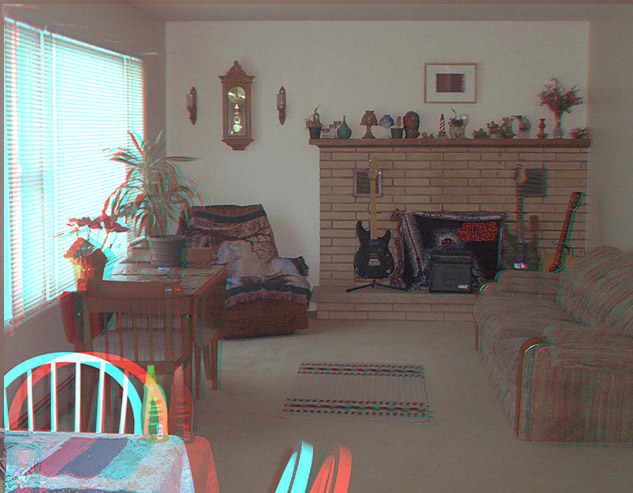
images, or 3-D photography,
work because they are able to recreate the illusion of depth. Human eyes are set about two-and-a-half inches apart, so each eye sees an image slightly differently. If you take two separate photographs that same distance apart, with a suitable viewer
or anaglyph image it is possible to recreate that illusion of depth. There is some dispute in 3-d circles whether the anaglyph concept was invented by Sir Charles Wheatstone who, in June 1838, gave an address to the Royal Scottish Society of Arts on the phenomena of binocularvision. He made geometric 3-D drawings and a device to view them called a reflecting mirror stereoscrope. Almost twelve years later, a Scottish scientist named Sir David Brewster invented the first anaglyph practical photographic device called the lenticular stereoscrope. Early workers in this field include Fenton, who took photographs in Russia, when he visited there in 1852, and Jules Duboscq, who made anaglyphs, stereoscopes and stereoscopic daguerreotypes. Duboscq in turn caused Antoine Claudet to become interested in stereoscopy; Claudet patented stereoscopes in 1853. The stereoscope and anaglyphs took off in a big way when Queen Victoria and Prince Albert observed one at the exhibition at the Crystal Palace, and Brewster presented her with a stereoscope made by Duboscq. Almost overnight a 3-D industry developed and 250,000 stereoscropes were produced and sold in a short time. Stereographers were sent throughout the world to capture views for the new medium and feed the demand for 3-D anaglyphs. The golden age of anaglyph stereography had begun. From 1860 to the 1930's, the stereo cards documented life of the time and important events. A variety of viewers became available, from the simple Holmes viewer to cabinet-type viewers which could store fifty or so positives. The London Stereoscopic, Anaglyph and Photographic Company came into being in 1850 and continued for seventy years. The Stereoscopic Society was founded in 1893, and still exists today see resources for details When the stereoscope anaglyphs began to decline in the late 1930's, another application for 3-D was invented by a German-born tinkerer named William Gruber. Kodak had introduced flexible 35mm film and Gruber invented a method for taking and showing 3-D views with this new film. In partnership with Harold Graves, Gruber formed the View-Master company in 1939. 3-D took off all over again. Over one thousand million anaglyph reels have been sold world-wide. The revival of 3-d photography that took place in the 1980's was because of the introduction of the 4-lensed NIMSLO 3-d camera, designed for making lenticular prints for viewing without a viewer. Recently there have been many other 3-d anaglyph innovations. Disposable 3-d cameras and the Loreo SLR lens adaptor system being just two. The IMAX cinema has just opened in the Trocadero Centre in London. Some say that 3-d anaglyph may well make a come back because of their new invention. "Anaglyph" is derived from two Greek words meaning "again" and "sculpture". The conventional method of viewing stereoscopic photographs or making anaglyphs in the last century was to use a viewer which held a pair of images, and which enabled each eye to see only one; by fusing these together a three dimensional effect was recreated. William Friese-Green created the first three-dimensional anaglyphic motion pictures in 1889, which had public exhibition in 1893. 3-D films enjoyed something of a boom in the 1920s. Early anaglyph films were designated as "plasticons" and "plastigram s." These used only one strip of film that was coated with emulsion on both sides. The Red image was applied to the front and the green image to the back. In 1922, a novel plasticon opened at the Rivoli Theatre in New York titled "Movies of the Future," which gave the viewer optional endings. To view the happy ending, one watched through the red anaglyph filter. The green filter revealed the tragic ending. The term "3-D" was coined in the 1950's. As late as 1954 anaglyph films such as "The Creature from the Black Lagoon" were very successful. In 1953, the anaglyph had begun appearing in newspapers, magazines and comic books. The 3-D comic books were one of the most interesting applications of anaglyph to printing. They were invented by comic artists Joe Kubert and Norman Maurer in 1953 using a cell acetate technique with several levels that were opaqued on the back and shifted to produce the left and right eye views. Priced at twenty-five cents instead of the usual dime, the 3-D comics included anaglyph red and green "space goggles." When Kubert and Maurer's first book, "Three Dimension Comics," starring Mighty Mouse, hit the stands it was an instant sell-out. Over the years, anaglyphic pictures have sporadically appeared in comics and magazine ads. Jaws 3-d was a box-office success in 1983. The interest in this form of 3-d still continues today, the NFT held a well-attended anaglyph 3-d film festival in 1997. |
||||||
3D
Maker Homepage
Click here to learn more
about 3dMaker Anaglyph Software.
PC
& Mac Shareware Game Downloads
- Venture
- Championship
Connect Four -
Mancala
2000 - Stack'em
3D - Ruins
II
PC
& Mac Shareware Downloads
- Metes
and Bounds - Anaglyph
Software - Stereogram
Software - PC/MAC
3DMF Editor
3D Maker Anaglyph Software is Copyright (C) 1999-2007 by Sandy Knoll Software