|
A Fun Word Game For Mac and PC
|
||||||
|
Sandy Knoll Software,
LLC Support FAQ:
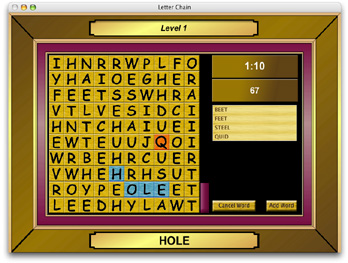
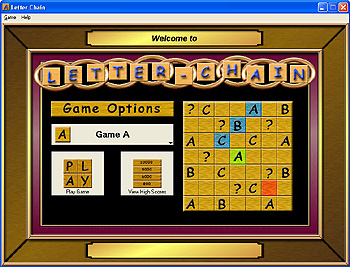
(The free demo version has a limited amount of levels) The Object: The object of Letter Chain is to score as many points as possible by forming words using the letters given to you on the screen. Letter Chain is a fun word game from Sandy Knoll Software, LLC. How to play: Click on letters that are next to each other to create words. When you have created a word, press the Add Word button. Valid letters to click on are highlighted with green. Invalid tiles in this fun word game are highlighted in red. Tiles that you have already selected are highlighted with blue. You can unselect the last letter selected by clicking on it again, by pressing the backspace key or by pressing the left arrow key. You can unselect the entire word by pressing the escape (Esc) key. There are several different tile types as well - this is what makes Letter Chain a fun word game. The different tile types become active as the levels progress. When you click on a question mark (?) tile, you can select which letter that tile will become in this game. The rainbow shaded tile will change letters by itself every 30 seconds. The tile with the swirl on it has a 5% chance of disappearing every 5 seconds. There are other tile types as well. Each fun word game level as its own requirements for completion. Some levels of this word game give more time while other levels require more words. Some of these levels may require that only words of certain lengths are allowed.
|
Words that have more letters or have difficult to use letters (such as Q or Z) are worth more points. The longer the word, the more it is worth. Letters that are along the edge, or are a corner letter are worth more points as well. At the end of each level, you will be award points for the time that you have remaining.
|
|||||